

Best AI Tools in 2026: Free and powerful AI Software:
In this article, Best AI tools in 2026, their features, benefits, and how you can use them in your daily life.
Artificial Intelligence (AI) is changing the way people work, study, communicate, and create content. From writing articles to designing graphics, analyzing data, and developing websites, AI tools are helping people complete tasks faster and more efficiently.
Today, students, business owners, digital marketers, content creators, and professionals use AI tools to improve productivity and save time.
But with so many AI applications available, choosing the right one can be confusing.
What Are AI Tools?
AI tools are software applications that use artificial intelligence technologies to perform tasks that normally require human intelligence.
These tools can understand text, generate images, analyze information, answer questions, create videos, and assist with different types of work.
Some common applications include:
- Content writing
- Image and graphic designing
- Video editing
- Data analysis
- Coding and website development
- Research and education
- Business automation
10 Best AI Tools in 2026:
1. ChatGPT – Best AI Assistant:

Website: ChatGPT
ChatGPT is one of the best AI tools in 2026. It is an AI assistant that helps users generate content, answer questions, brainstorm ideas, understand complex topics, and work with different types of information.
Key Features:
- Generates articles and content.
- Answers questions.
- Helps with coding.
- Creates and edits images.
- Summarizes documents.
- Supports learning and research.
Best For: Students, bloggers, professionals, and business owners.
2. Google Gemini – Best for Google Users

Website: Google Gemini
Google Gemini is an AI assistant that helps users research topics, generate content, understand information, and work with Google’s ecosystem.
Key Features:
- Text generation.
- Image understanding.
- Research assistance.
- Content summarization.
- Google services integration.
Best For: Students, researchers, and Google Workspace users.
3. Claude – Best for Content Writing:

Website: Claude
Claude is an AI assistant developed by Anthropic. It is useful for writing, analyzing documents, brainstorming, and working with complex information.
Key Features:
- Long-form content writing.
- Document analysis.
- Summarization.
- Coding assistance.
- Idea generation.
Best For: Writers, professionals, and developers.
4. Canva AI – Best for Graphic Designing

Website: Canva
Canva is a graphic design platform with AI-powered features that help users create posters, presentations, social media posts, and marketing materials.
Key Features:
- AI-assisted design.
- Presentation creation.
- Social media graphics.
- Image editing.
- Templates and layouts.
Best For: Designers, digital marketers, and small businesses.
5. Perplexity AI – Best for Online Research

Website: Perplexity AI
Perplexity AI is an AI-powered search and research assistant that provides answers with links to supporting sources.
Key Features:
- AI-powered search.
- Source-linked answers.
- Research assistance.
- Topic exploration.
- Information summarization.
Best For: Researchers, students, and bloggers.
6. Grammarly – Best for Grammar Checking

Website: Grammarly
Grammarly helps users improve their writing by checking grammar, spelling, clarity, tone, and sentence structure.
Key Features:
- Grammar correction.
- Spelling suggestions.
- Sentence improvement.
- Tone suggestions.
- Writing assistance.
Best For: Students, professionals, and content writers.
7. Midjourney – Best for AI Image Generation

Website: Midjourney
Midjourney is an AI image-generation platform that creates artistic and creative images from text descriptions.
Key Features:
- AI-generated images.
- Artistic illustrations.
- Creative visual concepts.
- Image variations.
- Style customization.
Best For: Artists, designers, and content creators.
8. Runway – Best for AI Video Creation

Website: Runway
Runway provides AI-powered video creation and editing features that help creators produce visual content.
Key Features:
- Text-to-video generation.
- Image-to-video generation.
- AI video editing.
- Visual effects.
- Creative video workflows.
Best For: Video creators, marketers, and filmmakers.
9. ElevenLabs – Best for AI Voice Generation

Website: ElevenLabs
ElevenLabs offers AI voice and audio tools that can convert text into realistic speech and support voice-based content creation.
Key Features:
- Text-to-speech.
- AI voice generation.
- Voiceovers.
- Multilingual audio.
- Audio content creation.
Best For: YouTubers, podcasters, and video creators.
10. Cursor – Best for AI Coding
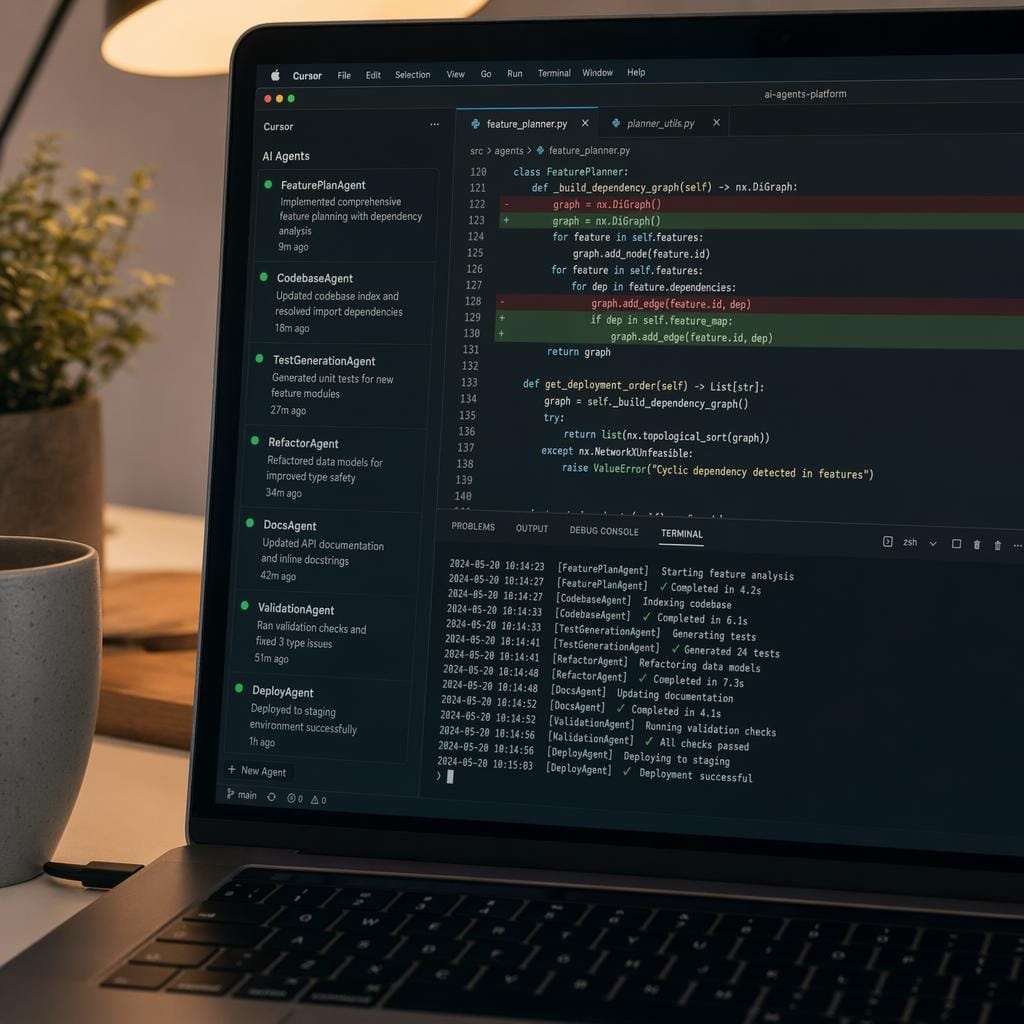
Website: Cursor
Cursor is an AI-powered code editor that helps developers write, understand, modify, and debug code.
Key Features:
- AI code suggestions.
- Code generation.
- Debugging assistance.
- Codebase understanding.
- Development support.
Best For: Programmers, web developers, and software engineers.
Benefits of Using AI Tools:
AI tools offer several advantages for individuals and businesses.
1. Saves Time: Automates repetitive tasks and helps complete work faster.
2. Improves Productivity: Helps users manage multiple tasks efficiently.
3. Supports Creativity: Generates new ideas, images, designs, and content.
4. Reduces Manual Work: Assists with writing, research, editing, and analysis.
5. Helps Learning: Explains difficult concepts and supports skill development.
6. Supports Businesses: Helps with marketing, customer communication, and workflow automation.
Are AI Tools Free to Use?
Many AI tools offer free plans with limited features or usage. Some also provide paid subscriptions with additional capabilities.
For beginners, it is better to start with free versions and upgrade only when advanced features are required. Always check the latest pricing and usage limits on the official websites.
Frequently Asked Questions (FAQs)
1. Which is the best AI tools in 2026?
ChatGPT is a strong all-purpose AI assistant, but the best tool depends on your requirements. Gemini, Claude, Perplexity, and other specialized tools can be better for particular tasks.
2. Which AI tool is best for students?
ChatGPT, Gemini, and Perplexity can help students understand concepts, explore topics, summarize information, and support research.
3. Which best AI tools in 2026 for digital marketing?
ChatGPT can help with content ideas and marketing copy, Canva AI with graphic design, and Perplexity with research. Other specialist tools can support SEO, analytics, and campaign workflows.
4. Can beginners use AI tools?
Yes. Many AI tools have beginner-friendly interfaces and offer free access or trials.
5. Can AI tools replace human work?
AI tools can automate and support many tasks, but human creativity, fact-checking, decision-making, and supervision remain important.
6. Are AI-generated results always accurate?
No. AI tools can produce incorrect or outdated information. Always verify important facts using reliable sources.
Conclusion:
Artificial Intelligence is transforming the way people work, learn, and create. From ChatGPT and Gemini to Canva AI, Midjourney, and Cursor, there are many tools available to support different needs.
You do not need to use every AI tool. Start with the one that matches your requirements, explore its features, and understand how it can improve your daily work.
Which AI tool do you use most often? Share your thoughts in the comments!
keep learning more from our Bloglume!!!